I’ve been using clock coding and encoders to control the robot to more here and there but I haven’t been able to control the shooter to turn in a specific speed and then print that speed to the control hub.
I want to control the motor in RPM.
I’ve been using clock coding and encoders to control the robot to more here and there but I haven’t been able to control the shooter to turn in a specific speed and then print that speed to the control hub.
I presume you mean, “Block” coding - if so, no worries!
What you want to do is ensure that you connect your motor encoder cable to the robot; if your motor is being controlled by Motor Port 0, then make sure the encoder cable for the motor is plugged into the encoder port just below Motor Port 0. The encoder cable allows the Control Hub to read the encoder in your motor which helps the Control Hub determine how fast the motor is spinning.
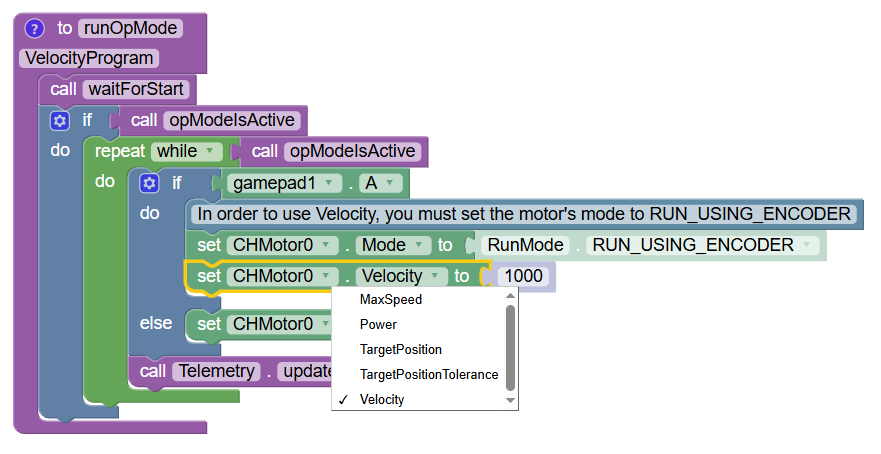
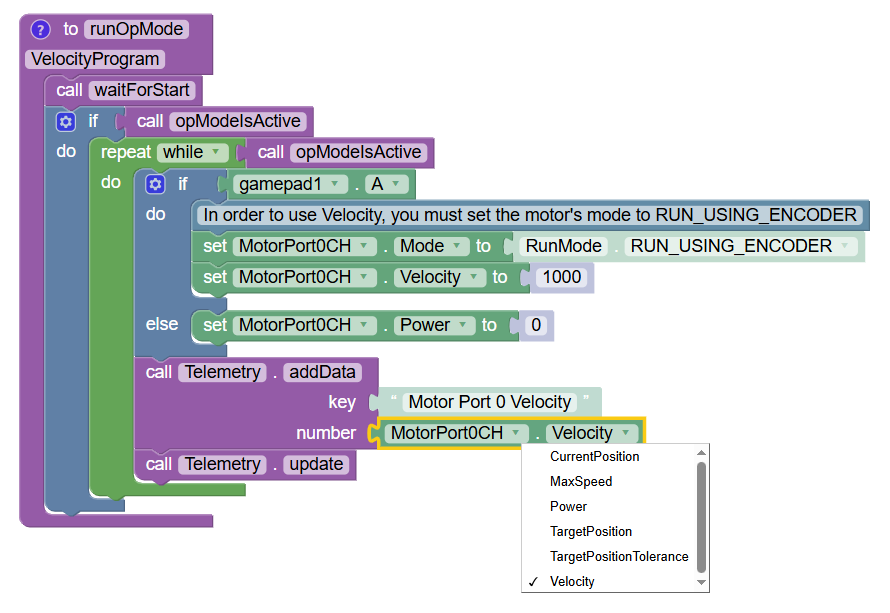
Then you want to use the SetVelocity() method like so:
Sure, that’s trivial. Just grab a telemetry block, and plug in the “Get Velocity” block (it’s the “Get Power” block, just change “Power” to “Velocity”).